AI and Automation
Getting Started with Workflow Automation: A Practical Guide for Homelab & IT Enthusiasts
By Amjid Ali · · Updated · 3 min read
In this article
Ever feel bogged down by repetitive tasks in your homelab or IT projects? What if you could make the flow of tasks, documents, and information perform independently, boosting your productivity? That’s precisely what workflow automation offers. This practical guide is designed for homelab and IT enthusiasts looking to get started with workflow automation. We’ll explore how this approach can streamline your activities and help you harness its power for more efficient operations.
What is Workflow Automation?
At its core, workflow automation is an approach to making the flow of tasks documents and information across work-related activities perform independently in accordance with pre-defined business rules. For homelabbers and IT enthusiasts, this means taking those routine, manual processes—like server backups, deploying virtual machines, managing updates, or even home media server organization—and setting them up to run on their own. Imagine less time spent on mundane clicks and more time for exciting projects and learning.
Why is Workflow Automation Crucial for Homelab & IT Enthusiasts?
- Boost Productivity: Free up valuable time by automating repetitive chores.
- Reduce Errors: Automated processes are consistent and less prone to human error.
- Improve Efficiency: Streamline complex operations and make your homelab or IT setup run smoother.
- Enhance Learning: Setting up automations deepens your understanding of systems and processes.
- Scalability: Easily manage growing homelabs or more complex IT tasks as your needs evolve.
Getting Started: Practical Steps
Ready to dive in? Here’s how you can begin your automation journey:
- Identify Repetitive Tasks: What do you do regularly that consumes time? This could be anything from checking server uptimes, managing Docker containers, or synchronizing files between services. Make a list.
- Choose Your Tools: There’s a wide array of workflow automation platforms available. For homelab and IT projects, tools like n8n (an open-source option that’s highly versatile and a favorite here at SyncBricks), Home Assistant (for smart home tasks that can extend to IT), Ansible (for configuration management), or even simple cron jobs and shell scripts can be powerful. Research tools that fit your specific needs and technical comfort level.
- Start Simple: Don’t try to automate everything at once. Pick one or two simple tasks from your list. This will help you learn the basics of your chosen tool and build confidence.
- Design Your Workflow: Map out the steps of the task you want to automate. What triggers the workflow? What actions need to be performed? Are there any conditions or decisions involved?
- Build and Test: Implement your workflow in your chosen tool. Test it thoroughly to ensure it works as expected. Debug and refine as needed.
- Iterate and Expand: Once you have a few successful automations running, gradually tackle more complex tasks and explore advanced features of your automation tools.
Popular Workflow Automation Tools to Consider
While the best tool depends on your specific needs, here are a few popular choices in the homelab and IT community:
- n8n: A powerful, node-based, open-source workflow automation tool. It allows you to connect various apps and services with minimal coding. We have several tutorials on n8n to get you started.
- Home Assistant: Primarily for smart home automation, but its robust system can be leveraged for IT tasks, especially those involving local network devices.
- Ansible: An open-source tool for software provisioning, configuration management, and application deployment. Excellent for managing multiple servers or devices.
- IFTTT (If This Then That) / Zapier: Cloud-based services that are great for connecting various web apps and services, though they might have limitations for deep homelab integrations compared to self-hosted options.
Related Articles You May Like
Embarking on your workflow automation journey can transform how you manage your homelab and IT infrastructure, allowing tasks and information to flow independently and efficiently. Remember, the key is to start simple, iterate, and continuously seek ways to optimize. We hope this guide has provided a solid foundation. Dive deeper into automation with more tutorials and reviews on SyncBricks, and share your own automation successes with our community!
Related videos
Video library- Cloud and Self-Hosting
The Ultimate Proxmox UI Tutorial: Full Walkthrough for Getting Started
· 30:31 · 3.9K views
Watch on YouTube - Cloud and Self-Hosting
Power Up Your Homelab with Proxmox Cluster Example
· 8:20 · 3.8K views
Watch on YouTube
Keep reading
 AI and AutomationHow to Build an AI Model: A Complete Guide for DevelopersAI model development in 8 steps: define the problem, prepare your data, choose tools, engineer features, train, validate, deploy and keep improving the model. · 6 min read
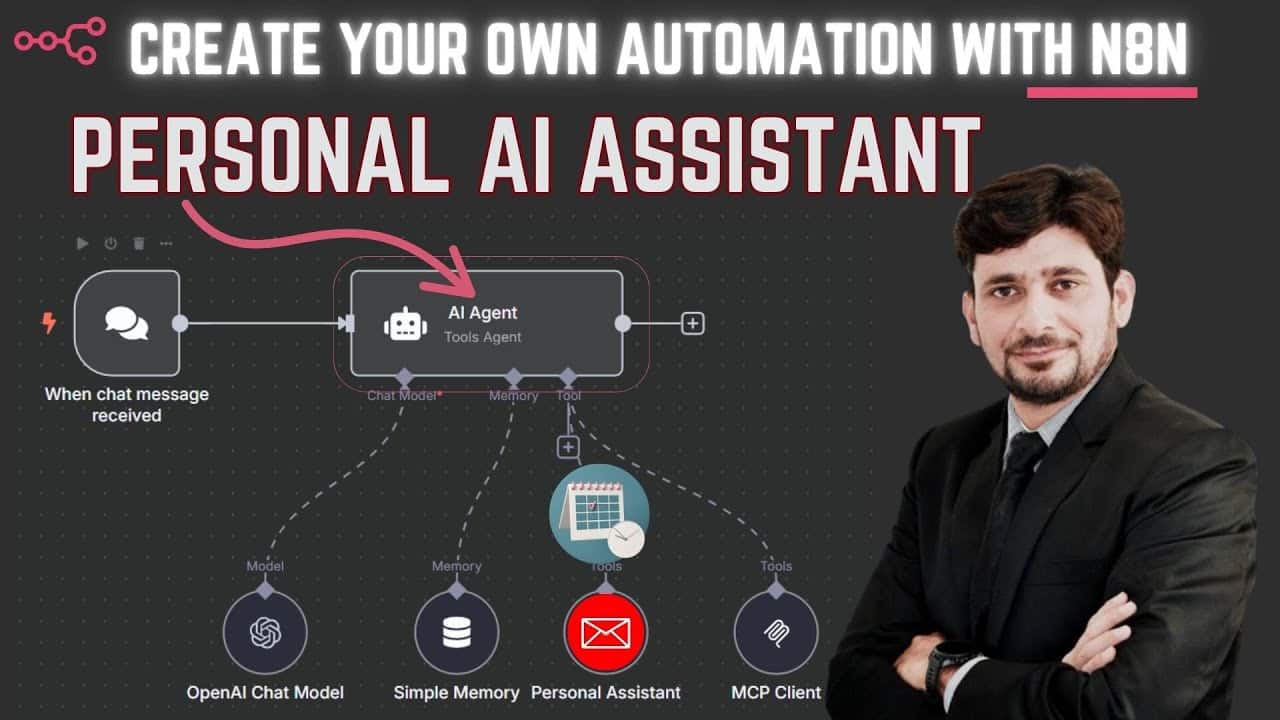 AI and AutomationCreate Your Own Personal AI Assistant with Gmail Integration | n8n + Gemini 2.5 DemoImagine having a personal assistant that can manage your Gmail inbox based on simple voice or text commands. Thanks to powerful low-code automation plat... · 4 min read
 AI and AutomationThe Ultimate Guide: 20 Best Low-Code Platforms for Homelab and IT Automation ProjectsThe best low-code platforms for homelab projects and IT automation. Compare n8n, Node-RED, Appsmith, and 17 more tools — with pros, cons, and use cases. · 2 min read