Web and Marketing
20 Essential WooCommerce Plugins for Building a Secure, Efficient, and Profitable Store
By Amjid Ali · · Updated · 17 min read
In this article
WooCommerce powers a significant share of online stores because it is free to get started, flexible, and highly extendable. However, that flexibility can also create challenges. Installing too few plugins may leave a store vulnerable, slow, inefficient, or difficult to discover, while installing too many, or choosing the wrong ones, can affect performance and make the website harder to maintain.
The plugins in this guide are grouped by the specific problems they solve rather than presented as a single long list. This makes it easier for store owners to identify gaps across security, performance, order management, compliance, marketing, customer experience, and design. Each plugin serves a distinct purpose, helping store owners build a more secure, efficient, and scalable eCommerce website without unnecessary overlap. Free versions are also highlighted wherever available, allowing businesses to start with essential features and upgrade only when their requirements grow.
Security, Compliance & Trust
A store that gets hacked, loses its data, or falls foul of a privacy regulator never gets to the profitable stage. This first group covers the defensive layer every WooCommerce store needs before anything else.
- Wordfence Security: Firewall, malware scanning, and login protection

Every WooCommerce store is a target the moment it goes live, and Wordfence Security is usually the first plugin experienced store owners install. It layers a Web Application Firewall in front of the site, blocking malicious traffic, fake Googlebots, and known attack signatures before they ever reach WooCommerce’s checkout or admin screens. A built-in malware scanner compares core files, themes, and plugins against the official WordPress.org repository, flags anything that has been altered, and offers a one-click way to restore the original files if something does slip through.
Beyond the firewall, Wordfence adds two-factor authentication, brute-force login protection, and country blocking, all of which are important for a WooCommerce dashboard that handles customer payments and order data. The free version updates firewall rules and malware signatures on a 30-day delay, which is still solid protection for most small to mid-sized stores. At the same time, the Premium tier unlocks real-time rule updates, a blocklist of more than 40,000 known threat actors, and priority support for stores that cannot afford downtime.
- UpdraftPlus: Automated backups and one-click restore

A WooCommerce store without a recent backup is one bad update away from losing every order, product listing, and customer record it has ever collected. UpdraftPlus is the most widely used backup and migration plugin on WordPress.org, and its free version alone is enough to schedule automatic backups of files and database, then push copies off-site to Dropbox, Google Drive, Amazon S3, or a remote server rather than leaving them on the same host that could fail.
Restoring is just as simple as backing up. Because UpdraftPlus is trusted on more than 3 million sites, it also serves as a reliable way to migrate a store to a new host or domain, using its built-in search-and-replace tool to automatically update URLs. The Premium version adds incremental backups so only changes are saved rather than a full copy every time, database encryption, and automatic pre-update backups that protect a store right before a risky plugin or theme update.
- GDPR Cookie Consent: Google-certified cookie consent banner and compliance manager
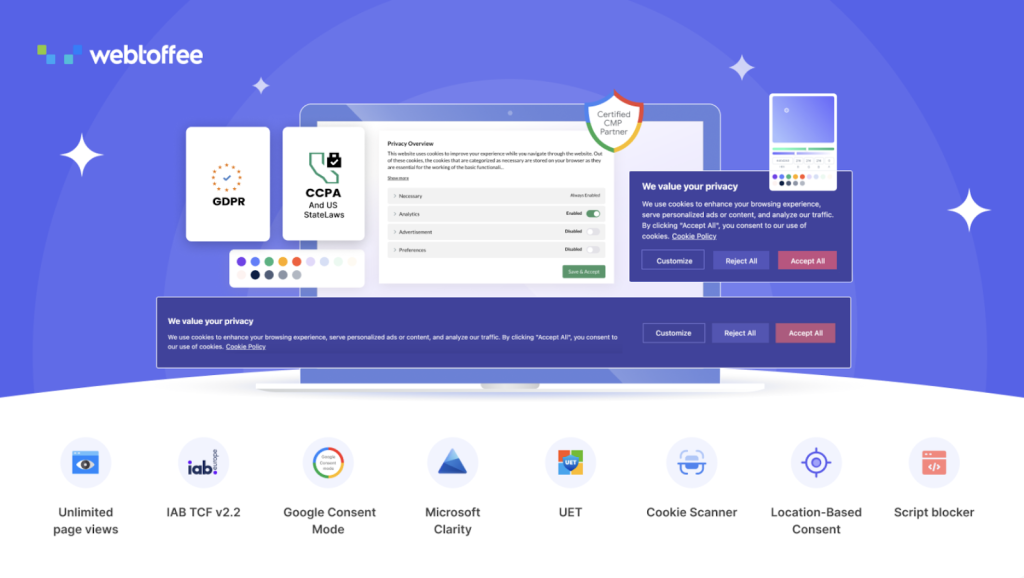
Selling to customers in the EU, UK, or privacy-conscious US states means a WooCommerce store needs more than a generic “we use cookies” notice. This GDPR cookie consent plugin from WebToffee adds a compliant banner with genuine accept-or-reject options, then automatically blocks non-essential third-party scripts, analytics, and advertising pixels until a visitor actually consents. An advanced cookie scanner crawls up to 2,000 pages per domain, sorts every cookie it finds into categories such as Analytics, Advertising, and Functional, and builds a cookie policy directly from that scan rather than a generic template.
The plugin supports Google Consent Mode v2 and IAB TCF v2.3 out of the box, which matters for stores running Google Ads, Meta pixels, or programmatic display advertising, since outdated consent signals can cause ad networks to reject a store’s ads. It also honors Global Privacy Control browser signals automatically, keeps every consent record inside the store’s own WordPress database rather than an external server, and covers GDPR, CCPA/CPRA, LGPD, POPIA, and a dozen other regional privacy laws with GeoIP-based banner targeting so EU and US visitors each see the right notice.
- EU Withdrawal Button: Compliant order-withdrawal requests for EU customers
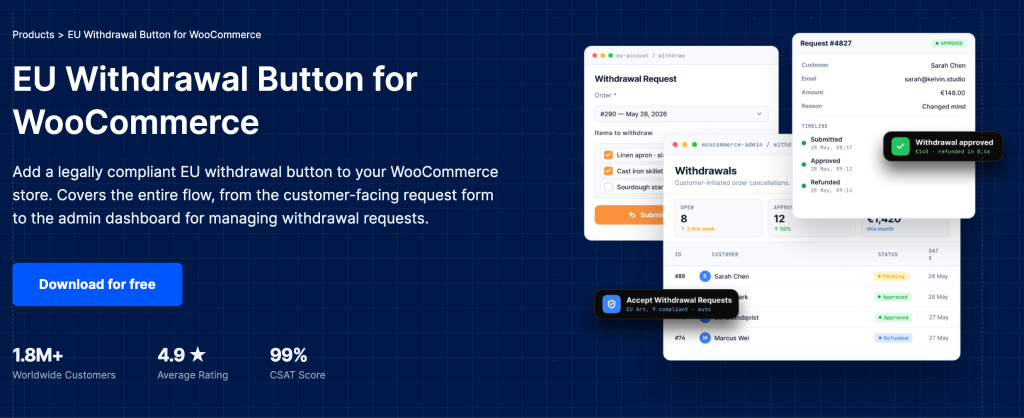
A quieter but increasingly urgent compliance gap opened on June 19, 2026, when EU Directive 2023/2673 began requiring any online store serving EU consumers to provide an accessible digital withdrawal function, something WooCommerce has never included by default. This plugin from WebToffee closes that gap by adding an EU Request Withdrawal button directly to a customer’s My Account orders page, visible only while the order is inside its active withdrawal window, alongside the two-step confirmation form the directive specifically requires to prevent accidental submissions.
Store owners manage every incoming request from a dedicated WooCommerce Withdrawals dashboard, where they can approve or reject requests, review the customer’s stated reason, and let the plugin automatically update order status and notify the customer once a decision is made. It supports partial withdrawals for multi-item orders, lets admins exclude virtual, downloadable, or affiliate products that are legally exempt from withdrawal rights, and is entirely free to download, making it one of the easiest first-mover compliance wins available to any EU-facing WooCommerce store right now.
Order & Fulfillment Operations
Once a store is safe, the next bottleneck is usually the back office: invoices, order numbers, shipping labels, and moving data around. This group is about running fulfillment without adding headcount.
- PDF Invoices & Packing Slips: Automated, tax-compliant invoicing and order documents
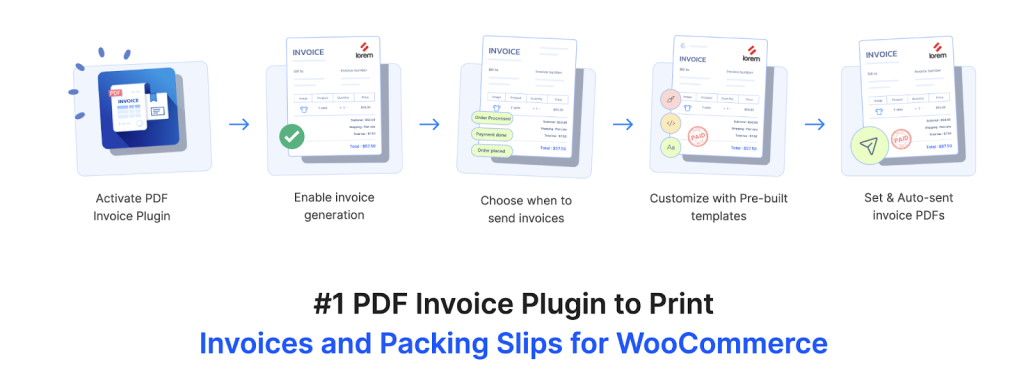
WooCommerce doesn’t generate a downloadable PDF invoice for any order out of the box, which becomes a real problem the moment a store has customers who need one for accounting, warranty claims, or tax purposes. This PDF invoices & Packing Slips for WooCommerce from WebToffee automatically creates invoices, packing slips, and credit notes based on order status, attaches them to the relevant order emails, and lets customers download their own copies from their account, with no manual work required on any individual order.
Beyond the basics, it supports UBL and XML e-invoicing formats, including PEPPOL, which is useful for stores dealing with B2B customers across the EU, plus custom invoice numbering with prefixes and auto-reset rules, and the ability to collect VAT, GST, or ABN details at checkout so tax fields appear correctly on every document. A free version on WordPress.org covers automatic invoice generation and basic downloads, while the premium plugin adds credit notes, bulk export, Dropbox backup, and full template customization.
- Sequential Order Numbers: Clean, consecutive order numbers for accounting and tracking
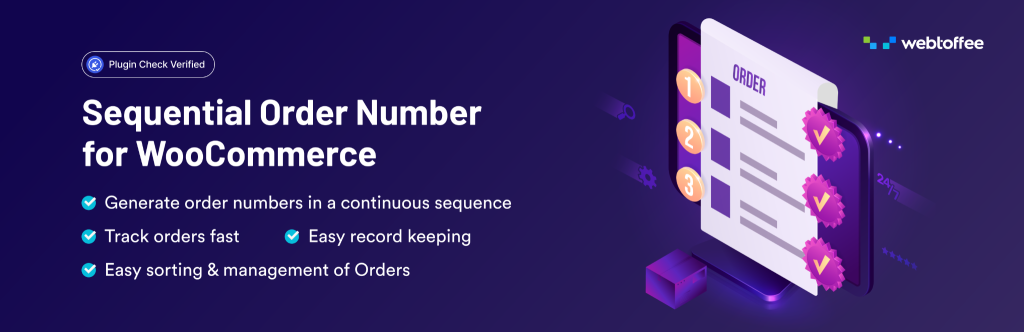
WooCommerce order numbers aren’t actually sequential by default, they borrow WordPress’s shared post ID system, so a store can see an order jump from #1001 straight to #1004 with nothing missing, just other WordPress content taking up the numbers in between. That’s confusing for bookkeeping and for any customer who notices the gap. This Sequential Order Numbers from WebToffee separates order numbering from the WordPress ID system entirely and replaces it with a clean, consecutive sequence that the store fully controls.
Store owners can add custom prefixes, suffixes, and date formats, set custom increments instead of counting by one, and choose to auto-reset the sequence daily, monthly, or yearly, which is useful for stores that like their order numbers to reflect volume for a given period. It also supports a separate numbering sequence for free or zero-subtotal orders, and lets historical order numbers stay untouched while the new sequence applies only to future orders, with a live preview showing exactly how the final format will look before anything is saved.
- WooCommerce Shipping: Discounted shipping labels straight from the WooCommerce dashboard

Fulfillment eats more staff time than almost any other part of running a store, and WooCommerce Shipping, the official free extension from Automattic, removes a big chunk of that friction by letting a store print USPS, UPS, and DHL labels directly from the WooCommerce Orders screen, with no separate carrier account logins required. Because rates and labels are hosted on Automattic’s infrastructure rather than the store’s, label printing stays fast even during a big sale, and discounted commercial rates of up to 77% off retail are applied automatically.
The plugin compares live rates across carriers so a store can pick the cheapest or fastest option per order, supports both domestic and international shipments, and every label purchased through it is carbon-neutral by default. For a store still buying postage manually or copy-pasting addresses into a separate shipping portal, installing this one plugin usually saves enough staff time each week to justify the few minutes it takes to connect an account.
- Product Import Export Plugin for WooCommerce: Bulk product catalog management, migration, and updates
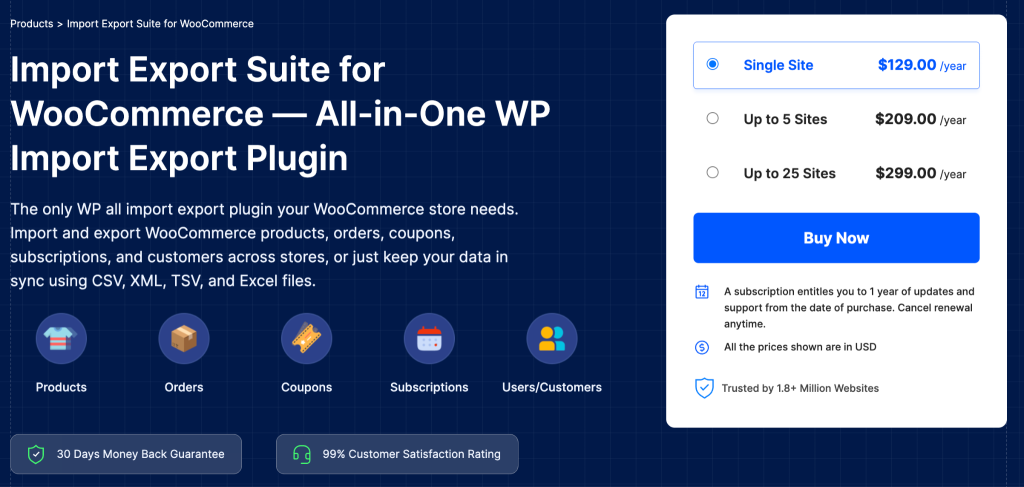
Managing a growing WooCommerce catalog product-by-product quickly becomes unsustainable when a store needs to migrate from another platform, bulk-update prices before a sale, or keep stock in sync with a supplier feed. This Product Import Export Plugin for WooCommerce from WebToffee handles the full product data layer in bulk — covering simple, variable, grouped, downloadable, external, subscription, and composite product types — across CSV, XML, TSV, and Excel files, with a Quick method for straightforward jobs and an Advanced method for precise column mapping and filtering.
Product reviews, tags, and categories move through the same workflow, so a full catalog migration doesn’t need separate tools for each data type. Bulk price and stock adjustments can be applied using formulas during import, a ChatGPT integration fills in missing product descriptions on the fly, and scheduled FTP/SFTP jobs handle recurring supplier syncs on autopilot. A free version covering CSV import and export for basic product types is also available on WordPress.org.
Sales, Discounts & Customer Growth
Security and operations keep a store running; this group is what turns visitors into repeat, higher-value customers.
- Smart Coupons for WooCommerce: BOGO deals, gift cards, and advanced discount rules
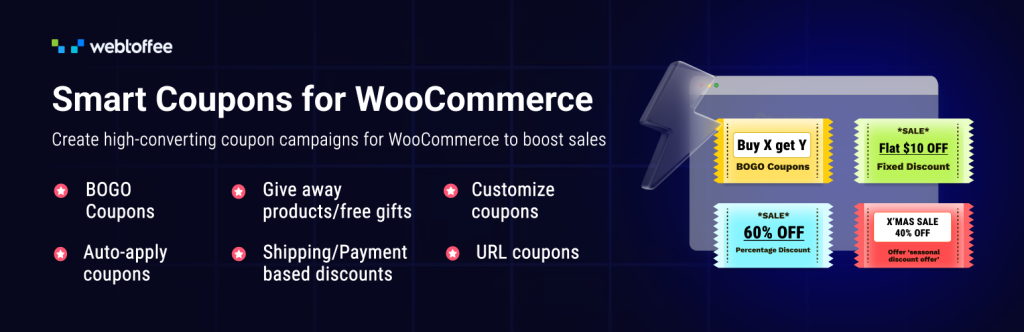
The default WooCommerce coupon system covers basic percentage and fixed discounts, but running promotions that actually move revenue — tiered Buy-X-Get-Y deals, gift cards, or a discount that only unlocks after a customer’s tenth order — needs something more. This coupon plugin woocommerce from WebToffee adds all of it in one place: BOGO offers with control over exactly which product qualifies as the free item, usage restrictions by cart value, category, payment method, or customer email domain, and a full gift card and store credit system that customers can purchase and send to someone else.
It also covers the details that quietly recover lost revenue: auto-apply coupons that trigger without a customer typing a code, URL coupons that apply a discount the instant someone clicks a shared link, and abandoned-cart-specific coupon codes for recovery emails. A free version on WordPress.org covers the core BOGO and restriction features, while the premium plugin unlocks gift cards, purchase-history-based coupons, bulk CSV import/export, and countdown-timer promotional banners.
- Retainful: Abandoned cart recovery and email marketing automation
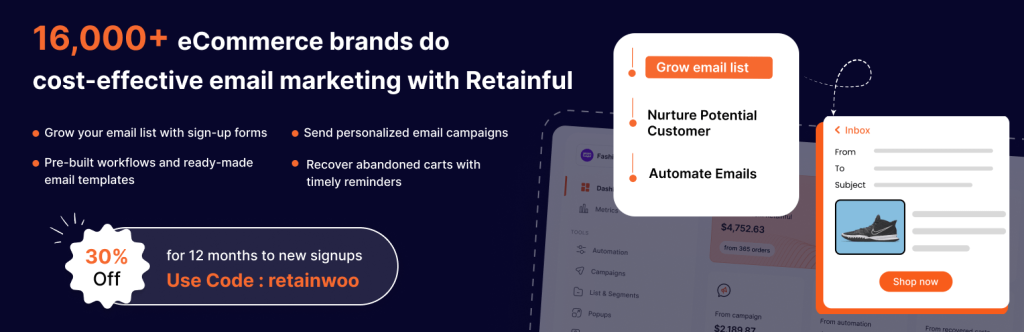
A large share of WooCommerce shoppers add items to a cart and leave without paying, making abandoned cart recovery one of the highest-leverage automations a store can implement. Retainful captures both guest and logged-in abandoned carts and sends a pre-built series of recovery emails at well-timed intervals, each carrying a one-click link back to a pre-filled cart along with an optional unique discount code to close the sale.
Beyond cart recovery, Retainful doubles as a lightweight email marketing tool: sign-up popups to grow an email list, welcome email automations for new subscribers, and next-order coupons sent automatically after a purchase, encouraging repeat visits rather than one-time sales. It’s free to install and connects to a Retainful cloud account, with a free tier covering a limited number of contacts and emails each month, enough for most small stores to test the entire recovery workflow before deciding whether to upgrade.
- TI WooCommerce Wishlist: Let customers save and share favorite products

Not every visitor is ready to buy on their first visit, and without a wishlist feature, a shopper who wants to come back for a product later has to either remember it or leave the store entirely to look elsewhere. TI WooCommerce Wishlist adds an “Add to Wishlist” button across product pages, letting shoppers save items to a personal list they can revisit, share with friends or family, and return to complete later.
The free version already covers what most small to mid-sized stores need — wishlist pages, social sharing, and compatibility with major caching plugins such as WP Rocket and W3 Total Cache — while the Premium upgrade adds multiple wishlists per customer, back-in-stock-style following on wishlisted items, product analytics for the store admin, and promotional emails that nudge customers about items still sitting in their saved list.
- WooCommerce Subscriptions: Recurring billing for products and services

For stores that want revenue, they can actually forecast rather than relying entirely on one-time sales, WooCommerce Subscriptions turns any product — physical, virtual, or downloadable — into a recurring billing item charged weekly, monthly, or annually. It’s the official subscriptions extension from WooCommerce itself, so it integrates directly with core WooCommerce reporting, checkout, and order management rather than bolting on as a separate system, built to handle everything from a monthly coffee club to yearly software licensing.
Built-in reports track monthly recurring revenue and active subscriber counts, giving a store owner a far clearer read on what to expect from month to month than a purely one-time-sale model ever could. It’s a premium, paid extension rather than a free plugin, which is worth factoring into the budget, but for a store whose business model genuinely depends on repeat, scheduled billing, it remains the most deeply integrated option in the WooCommerce ecosystem.
Marketing, Visibility & Global Reach
Getting found, getting bought, and getting paid in any currency: this group extends a store’s reach past its own website.
- WooCommerce Product Feed & Sync Manager: Product feeds for Google, Meta, TikTok, and 20+ channels
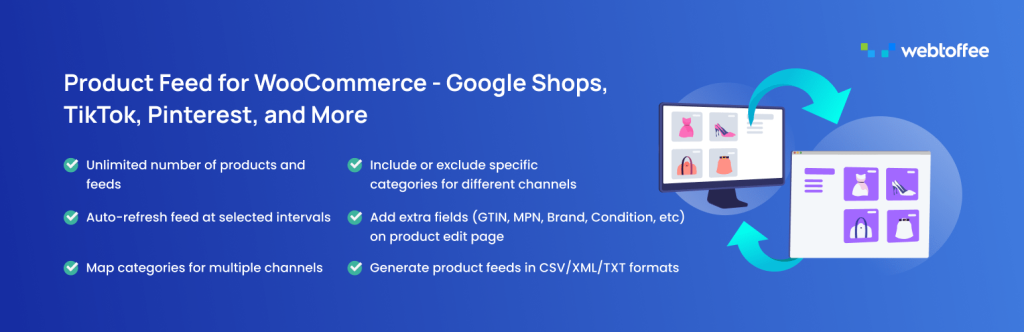
Getting a product in front of a Google Shopping search or a Facebook/Instagram Shop tab is largely a matter of getting the store’s product feed right, and this WooCommerce Product Feed plugin from WebToffee generates optimized feeds for more than twenty sales channels, including Google Shopping, Facebook/Instagram Shops, TikTok Ads, Pinterest, Bing Shopping, and OpenAI’s Agentic Commerce platform for ChatGPT search results, all from one dashboard rather than juggling a separate export for each channel.
It handles category and attribute mapping so WooCommerce product data lines up correctly with each channel’s own taxonomy, adds fields that those platforms need but WooCommerce doesn’t include by default, such as GTIN, MPN, condition, and age group, and refreshes feeds automatically on a schedule using either WordPress or server cron, which matters for large catalogs where prices and stock levels change constantly. It also supports multilingual and multicurrency stores through WPML and WCML, and works with Dokan and WC Vendor for multivendor marketplaces, listing products from multiple sellers.
- Rank Math SEO: All-in-one SEO plugin with strong WooCommerce support
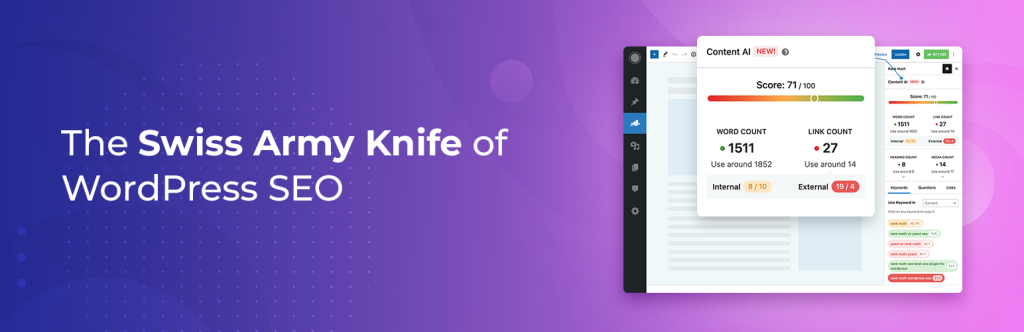
Traffic that isn’t paid for starts with search visibility, and Rank Math has become one of the most widely used SEO plugins for exactly that reason: its free version alone includes multi-keyword targeting, rich snippet schema, XML sitemaps, redirection management, and dedicated WooCommerce product-page optimization, features some competing SEO plugins reserve for a paid tier. For a WooCommerce store specifically, it helps structure product pages for Google Shopping-style rich results and manage product metadata without a second SEO add-on just for the shop section of the site.
It integrates cleanly with page builders such as Elementor and the WordPress Site Editor, runs a detailed content analysis with specific, actionable suggestions rather than vague scoring, and includes a Google Search Console connection directly inside the WordPress dashboard so keyword and indexing data don’t require switching tabs. The free plugin covers the vast majority of on-page SEO needs; Rank Math Pro adds deeper keyword tracking, AI content tools, and advanced schema types for stores that want to go further.
- Klaviyo: E-commerce-focused email and SMS marketing automation

Generic email marketing tools treat a WooCommerce store like any other website; Klaviyo was built specifically around e-commerce behavior, which is why it has become a common choice for stores that want email and SMS marketing genuinely tied to purchase data rather than just newsletter opens and clicks. As an official WooCommerce integration partner, connecting the two requires exchanging API keys, and Klaviyo then syncs order history, browsing behavior, and customer profiles in real time, with no manual list uploads or delayed batch syncs.
Pre-built flows cover the moments that matter most for revenue: abandoned checkout, browse abandonment, welcome series for new subscribers, post-purchase follow-ups, and price-drop alerts, all triggered automatically by real customer behavior rather than a fixed send schedule. The WordPress plugin itself is free to install, with Klaviyo’s pricing based on the number of contacts in an account, so a small store can get the entire automation stack running before it ever needs to consider a paid tier.
- FOX – Currency Switcher Professional for WooCommerce: Multi-currency pricing and checkout for global customers

A store selling internationally loses conversions the moment a shopper has to do currency math in their head, and FOX, the plugin formerly known as WOOCS, is the most widely installed currency switcher on WordPress.org for solving exactly that. It displays product prices in a visitor’s local currency using automatically updated real-time exchange rates pulled from more than seven currency data providers, with the switcher available as a widget, shortcode, or a fully custom dropdown built with its Smart Designer tool.
Customers can also complete checkout and pay in their selected currency, provided the store’s payment gateway supports it. The plugin includes GEOIP-based automatic currency selection, per-country fixed pricing, and currency visibility rules for stores that want certain currencies available only to specific regions or user roles. The core plugin is free and covers most single-storefront needs, while a premium version adds features like currency-specific payment gateway rules for more complex international operations.
Storefront Experience & Performance
Finally, everything above only pays off if the storefront itself is fast, well-designed, responsive to questions, and backed by visible social proof.
- WP Rocket: Premium caching and site speed optimization

Page speed affects both search rankings and checkout completion rates, and WP Rocket is widely used because it applies the bulk of WordPress performance best practices automatically the moment it’s activated — page caching, browser caching, GZIP compression, and cache preloading — without requiring the store owner to understand server-level configuration first. For a WooCommerce store specifically, this matters more than on a typical blog, since slow product and cart pages translate directly into lost sales rather than just a weaker bounce-rate metric.
Beyond the automatic defaults, it offers more advanced tools like lazy-loading images, delaying JavaScript execution until it’s needed, and removing unused CSS, each clearly labeled with a warning about what might break, so a store owner can test safely before committing to a setting. It’s a premium-only plugin with no free tier, which sets it apart from free alternatives like LiteSpeed Cache or W3 Total Cache. But its simplicity and hands-off setup are exactly why so many WooCommerce stores choose to pay for it rather than manually configure a free option.
- Elementor: Drag-and-drop page builder for product and landing pages
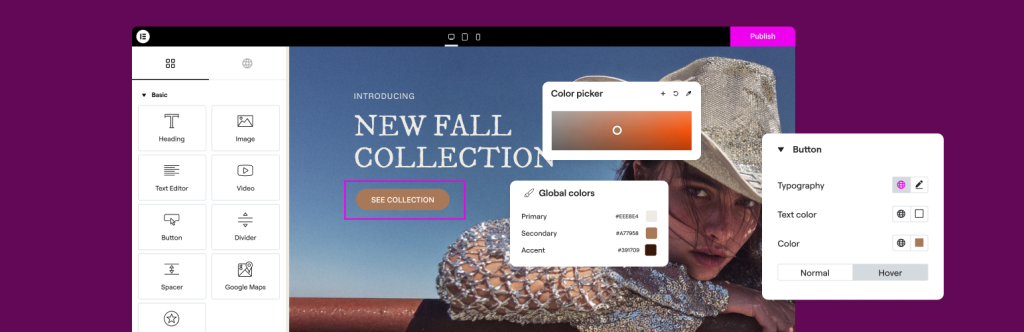
WooCommerce’s default product and shop page templates are functional but generic, while Elementor gives store owners a visual, drag-and-drop way to design custom product pages, landing pages, and even full storefront layouts without writing any code. The free version alone includes more than forty widgets, from headings and image galleries to buttons and carousels, plus a library of pre-built templates that can be dropped onto a page and customized in minutes rather than built from scratch.
It works with virtually any WordPress theme, integrates cleanly with SEO plugins like Rank Math, and lets a store owner build custom headers, footers, and popups directly inside the same editor used for page content. Elementor Pro adds a full Theme Builder, dynamic content tied to WooCommerce product data, and global design controls for stores that want a fully custom storefront, but the free plugin alone is enough for most stores to move well beyond a stock, out-of-the-box look.
- Tidio: Live chat and AI chatbot support

Customers with a quick question at checkout, about a shipping estimate, a sizing detail, or a coupon that isn’t working, often abandon the purchase entirely rather than email and wait a day for a reply. Tidio adds a real-time live chat widget to a WooCommerce store that lets staff answer those questions the moment they come up, adapts automatically to desktop, tablet, and mobile, and can be customized to match a store’s branding.
Its AI chatbot, Lyro, can handle a meaningful share of routine questions automatically, order status, return policy, product availability, even outside business hours, escalating to a human agent only when needed, and a mobile app lets a small team respond to chats from anywhere rather than being tied to a desktop dashboard. The plugin is free to install, with a genuinely functional free plan (no credit card required), and paid tiers are mainly for stores that want higher AI chatbot volume or additional team seats.
- ReviewX: Multi-criteria product reviews with schema and Google integration
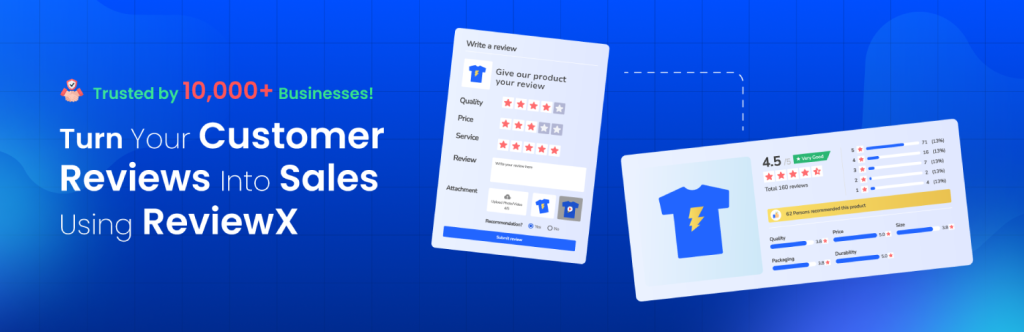
Product reviews are one of the strongest conversion signals a store can display, and ReviewX gives WooCommerce stores a way to collect richer reviews than the default star rating, letting customers rate specific criteria such as product quality, delivery speed, or customer service separately, alongside photo and video review submissions that add a level of authenticity plain text can’t match.
Reviews can carry rich snippet schema markup for better visibility in Google search results, and the plugin includes automated review-request emails and reminders sent after a purchase, along with social sharing so a strong review can be pushed out to a store’s own channels. The free version covers essential review criteria and displays options. At the same time, ReviewX Pro adds discount incentives for leaving a review, more advanced reminder automation, and deeper customization for stores that want reviews to play a bigger role in conversion.
Conclusion
Choosing the right plugins can make a significant difference in how efficiently an online store operates, scales, and serves its customers. The best approach is to focus on tools that address genuine business needs, integrate smoothly with the existing setup, and remain reliable as the store grows. Rather than installing too many plugins at once, store owners should build a balanced toolkit around security, automation, compliance, customer experience, and long-term growth. Regularly reviewing plugin performance and removing unnecessary tools will also help maintain a fast, secure, and manageable store.
Related videos
Video library- Web and Marketing
How to add products to WooCommerce Online Store - WordPress Tutorial 2019
· 44:48 · 202 views
Read the guide Watch on YouTube - Web and Marketing
How to Create WooCommerce Website on WordPress in 2023 [Step-by-Step Tutorial]
· 51:38 · 664 views
Read the guide Watch on YouTube
Keep reading
 Web and Marketing4 Best Branded Keyring Materials for Your UK Business PromotionCompare branded keyring materials for durable, practical UK business promotion and choose an option that fits your campaign. · 3 min read
 Web and MarketingHow Answer Engine Optimization Is Changing the Way Businesses Get Discovered OnlineLearn how answer engine optimization helps businesses improve online discovery and visibility in AI-driven search results. · 5 min read
 Web and MarketingWhat Employment Law Firms Get Wrong About Marketing to WorkersWhy employment law marketing fails when firms copy personal injury playbooks, and what workers need to see before they call an employment lawyer. · 7 min read